Moire Pattern on LED Screen: Causes & How to Fix It?
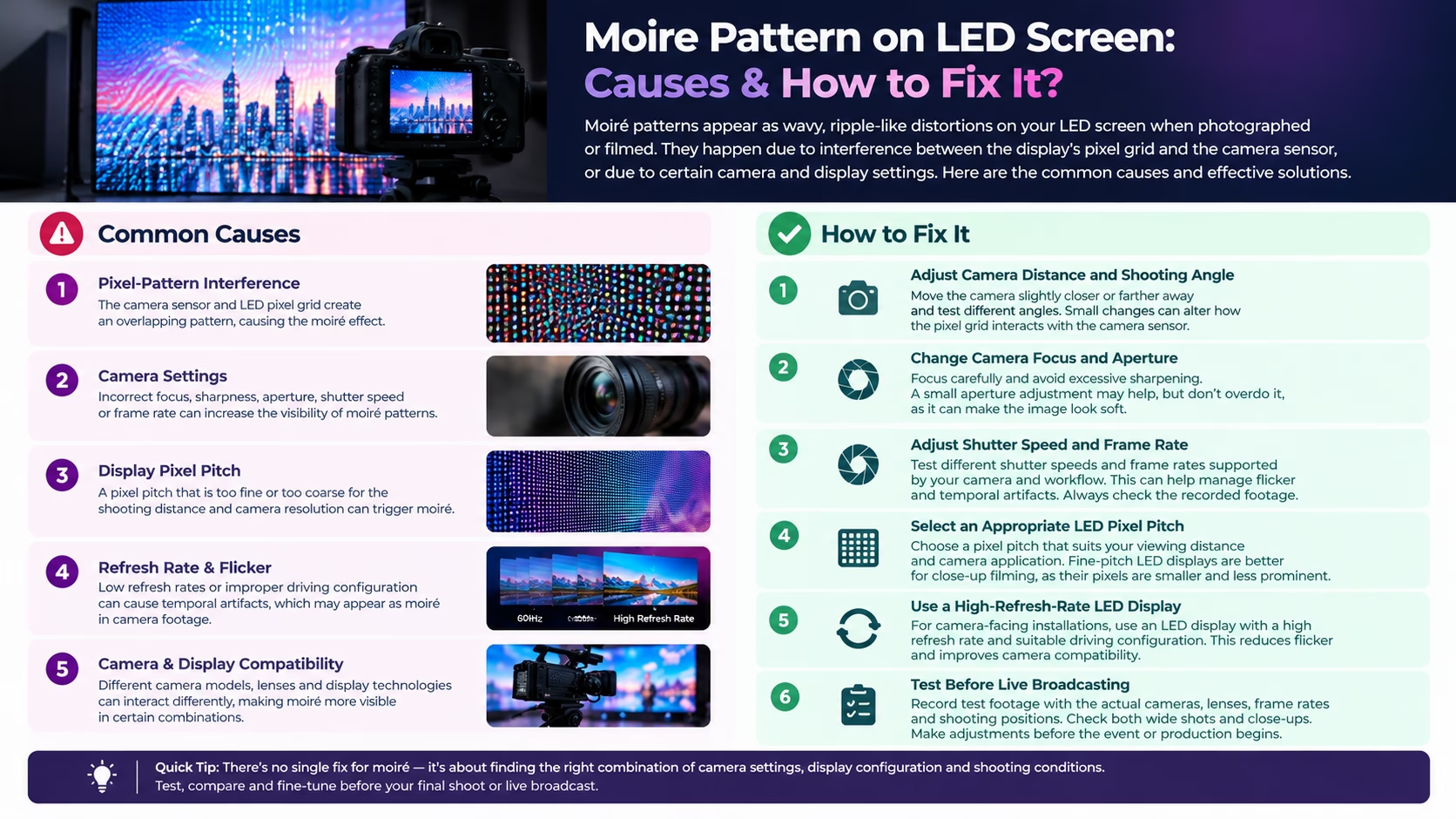
An LED screen may look sharp and clear to the naked eye but show strange waves, stripes, or ripple-like patterns when recorded through a camera. This visual distortion is known as a moiré pattern. It can affect live broadcasts, video recordings, virtual meetings, product demonstrations, and professional events where LED displays appear on camera.
Understanding the causes of a moiré pattern on an LED screen helps production teams identify the right solution before recording or broadcasting begins. Camera settings, shooting distance, pixel pitch, and display configuration can all influence how the issue appears.
What Is a Moiré Pattern on an LED Screen?
A moiré pattern is an unwanted visual effect created when two repeating patterns overlap or interact. In an LED display setup, the repeating arrangement of display pixels can interfere with the camera sensor’s sampling pattern.
The result may appear as curved lines, ripples, grids, or shifting bands across the recorded image. The effect is often more noticeable when a camera captures an LED video wall from a particular distance, angle, or resolution in Moire Pattern.
Moiré is not necessarily a sign that an LED screen is damaged. It is usually an interaction between the display’s pixel structure and the camera’s imaging system.
What Causes Moiré Patterns on LED Displays?
Several factors can contribute to moiré patterns during filming or live broadcasting.
1. Pixel Grid and Camera Sensor Interference
LED displays contain regularly spaced pixels, while digital camera sensors also use a grid of light-sensitive elements. When these patterns interact, the camera may capture an additional pattern that is not visible to the human eye with moiré pattern.
2. Pixel Pitch and Camera Distance
Pixel pitch refers to the distance between the centres of neighbouring pixels on an LED display. A larger pixel pitch can make the individual pixels more noticeable when the screen is filmed from nearby. The camera’s distance and framing influence how these pixels are captured in moiré pattern.
3. Camera Resolution and Shooting Angle
Camera sensor resolution, lens characteristics, focus, and shooting angle can affect the visibility of moiré. Certain angles and framing distances may make the repeating pixel structure more prominent.
4. Camera Settings and Display Refresh Rate
Shutter speed and frame rate can affect how an LED display appears on camera. Refresh rate is particularly relevant to flicker and rolling bands, although these are different from moiré. A higher refresh rate alone does not guarantee that moiré will disappear.
How to Fix Moiré Patterns on an LED Screen?
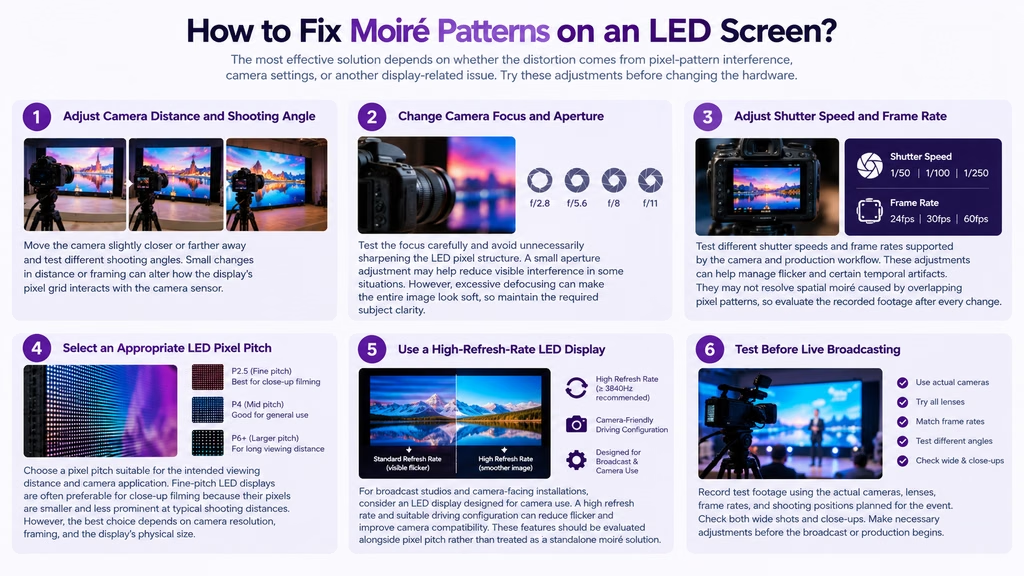
The most effective solution depends on whether the distortion comes from pixel-pattern interference, camera settings, or another display-related issue. Try these adjustments before changing the hardware.
1. Adjust Camera Distance and Shooting Angle
Move the camera slightly closer or farther away and test different shooting angles. Small changes in distance or framing can alter how the display’s pixel grid interacts with the camera sensor.
2. Change Camera Focus and Aperture
Test the focus carefully and avoid unnecessarily sharpening the LED pixel structure. A small aperture adjustment may help reduce visible interference in some situations. However, excessive defocusing can make the entire image look soft, so maintain the required subject clarity.
3. Adjust Shutter Speed and Frame Rate
Test different shutter speeds and frame rates supported by the camera and production workflow. These adjustments can help manage flicker and certain temporal artifacts. They may not resolve spatial moiré caused by overlapping pixel patterns, so evaluate the recorded footage after every change.
4. Select an Appropriate LED Pixel Pitch
Choose a pixel pitch suitable for the intended viewing distance and camera application. Fine-pitch LED displays are often preferable for close-up filming because their pixels are smaller and less prominent at typical shooting distances. However, the best choice depends on camera resolution, framing, and the display’s physical size.
5. Use a High Refresh Rate LED Display
For broadcast studios and camera-facing installations, consider an LED display designed for camera use. A high refresh rate and suitable driving configuration can reduce flicker and improve camera compatibility. These features should be evaluated alongside pixel pitch rather than treated as a standalone moiré solution.
6. Test Before Live Broadcasting
Record test footage using the actual cameras, lenses, frame rates, and shooting positions planned for the event. Check both wide shots and close-ups. Make necessary adjustments before the broadcast or production begins.
How Pixel Pitch Affects Moiré on Camera?
Pixel pitch influences how densely the LEDs are arranged on a screen. A smaller pitch places pixels closer together, which can make the display appear smoother when captured at close range.
For example, an indoor LED video wall with a 1.5 mm pixel pitch may be more suitable for close-up studio shots than a display with a 3.9 mm pitch, depending on the camera setup and shooting distance.
However, pixel pitch alone does not determine whether moiré will occur. The relationship between display resolution, camera sensor sampling, lens, framing, and distance also matters. Always test the complete setup before finalising the display specification.
When Should You Consider Changing Your LED Display Setup?
Consider reviewing the display specification if moiré remains visible after reasonable camera adjustments, particularly during close-up shots or when the screen fills most of the frame.
A professional assessment can help determine whether the issue requires a different pixel pitch, a camera-compatible display configuration, changes to camera positioning, or a combination of adjustments.
Lightomated provides indoor and outdoor LED display solutions for different installation requirements. When planning a camera-facing LED wall, discuss the intended shooting distance, content, camera equipment, and recording conditions before selecting a display.
Indoor LED Display | Outdoor LED Display | LED Video Wall for Control Rooms | turnkey av integration
Planning an LED Display for your Space ? Connect with Lightomated.
📞 +91-9217709977
✉️ info@lightomated.com